Integrating AI Tools into CRM Workflows for Small Business Efficiency
Unlock the potential of AI in CRM workflows for small businesses with a guide on integration, benefits, features, and overcoming challenges for improved efficiency.
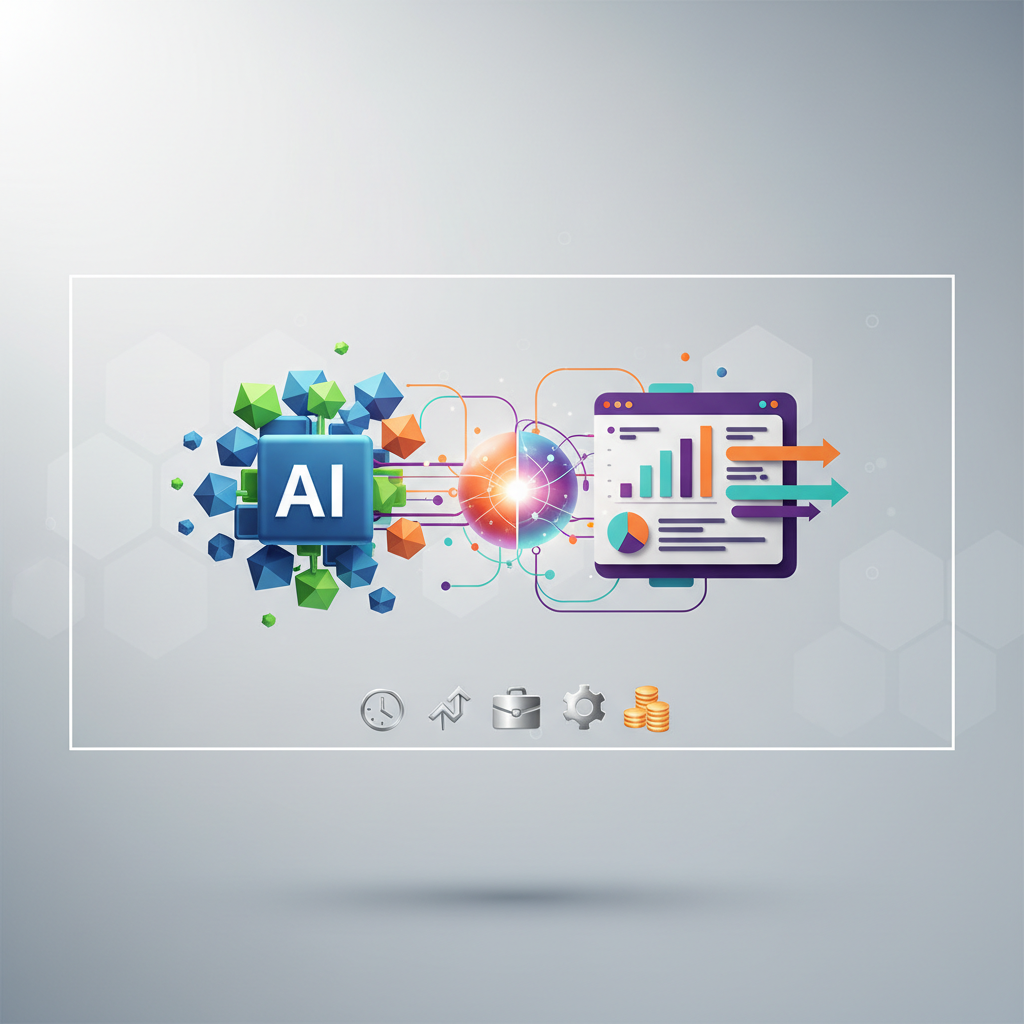
Key Takeaways
- 👥AI integration in CRM automates key tasks like lead scoring and customer segmentation.
- 📈Small businesses can see up to a 30% increase in sales efficiency.
- 📊Essential features include predictive analytics and automated email personalization.
- 🔧Start by assessing your current CRM and selecting compatible AI tools.
- 💰Overcome challenges like data privacy and integration costs by starting small.

In the rapidly evolving world of small businesses, staying competitive demands innovation and efficiency. Imagine increasing your sales productivity by 34%—an achievable reality through integrating AI tools into CRM workflows for small business efficiency. For small business owners, this can be a game-changer. The combination of AI and CRM allows for enhanced customer personalization, reduced manual work, and faster decision-making. This guide will walk you through what AI integration in CRM means, its benefits, how to implement it, and what to expect.
Key Takeaways
- AI integration in CRM automates key tasks like lead scoring and customer segmentation.
- Small businesses can see up to a 30% increase in sales efficiency.
- Essential features include predictive analytics and automated email personalization.
- Start by assessing your current CRM and selecting compatible AI tools.
- Overcome challenges like data privacy and integration costs by starting small.
- Real-world case studies show AI can boost efficiency and customer satisfaction.
Expert Tip
When integrating AI tools into CRM workflows, start by identifying the specific pain points or bottlenecks in your current system. For instance, if manual data entry is consuming too much time, consider AI tools that automate this process. According to a survey, small businesses save an average of 10 hours per week on manual tasks after AI automation. Utilize tools like Zapier to connect different applications seamlessly, further enhancing productivity. Additionally, invest in training your staff to maximize the benefits of AI integration, ensuring they are comfortable with the new tools and processes.
What is AI Integration in CRM Workflows?
Understanding AI in CRM
AI integration in CRM involves embedding machine learning and automation tools into your existing customer relationship management systems. This integration transforms mundane tasks such as data entry, lead scoring, and customer segmentation into automated processes, thereby improving workflow efficiency. For small businesses, this means less time spent on repetitive tasks and more time focusing on strategic initiatives.
AI can analyze vast amounts of data quickly, providing insights that would take humans much longer to discern. For example, predictive analytics can forecast future customer behaviors, allowing businesses to tailor their strategies accordingly. A study found that AI-driven CRM systems could increase sales productivity by as much as 34%, primarily through enhanced lead scoring and automation.
Benefits of AI Integration
AI integration offers several benefits, particularly for small businesses looking to scale efficiently. Firstly, it enhances customer personalization by analyzing customer data and behaviors, enabling businesses to offer tailored experiences. Secondly, AI reduces manual data entry, freeing up valuable time for employees to focus on more complex tasks.
Furthermore, AI can significantly reduce customer service response times. A report highlighted that businesses adopting AI in CRM saw a 25% reduction in response times. This not only improves customer satisfaction but also enables businesses to handle more queries without increasing staff.
Key Benefits of AI for Small Business CRM Efficiency
Improved Customer Personalization
AI tools in CRM systems can analyze customer data to deliver highly personalized experiences. By understanding customer preferences and behaviors, AI can suggest products or services that are more likely to interest them. For instance, sentiment analysis can gauge a customer's mood from their interactions, allowing businesses to adapt their communication strategy accordingly.
Enhanced Decision-Making
AI provides data-driven insights that lead to better decision-making. Predictive analytics can forecast sales trends, helping businesses allocate resources more effectively. For example, a small retail startup using predictive analytics was able to prioritize leads in their CRM, resulting in a 28% increase in conversion rates within six months. These insights are invaluable for small businesses aiming to maximize their resources and potential.
Increased Efficiency and Productivity
Automating repetitive tasks like data entry and appointment scheduling can save businesses a significant amount of time. AI-powered CRMs can automate these tasks, allowing staff to focus on more strategic activities. According to research, AI tools can save small businesses an average of 10 hours per week, contributing to overall productivity.
Cost Reduction
Integrating AI into CRM workflows can also lead to cost reductions. By automating tasks, businesses can reduce the need for additional staffing, thereby cutting labor costs. Additionally, AI can help identify inefficiencies and suggest cost-effective solutions, further optimizing operational expenses.
Essential AI Features to Enhance CRM Functionality
Predictive Lead Scoring
Predictive lead scoring uses AI to evaluate potential leads based on historical data and predictive algorithms. This feature helps prioritize leads that are more likely to convert, optimizing your sales efforts. For small businesses, this means focusing resources where they are most likely to yield results, thus enhancing sales productivity.
Chatbots for Customer Support
AI-powered chatbots can handle a range of customer queries, providing immediate responses and freeing up human resources for more complex issues. A small e-commerce business that integrated AI chatbots into their CRM reported a 40% faster query resolution and a 20% increase in customer satisfaction scores. Chatbots can operate 24/7, ensuring customer inquiries are addressed promptly.
Automated Email Personalization
Emails remain a powerful marketing tool, and AI can enhance their effectiveness through automation. AI tools can personalize email content based on the recipient's behavior and preferences. A marketing agency using AI for email personalization saw a 35% increase in open rates, demonstrating the power of tailored communication.
Sentiment Analysis
Sentiment analysis helps businesses understand customer emotions and sentiments from their communications. This AI feature can analyze customer emails, reviews, or social media posts to provide insights into customer satisfaction and brand perception. Implementing sentiment analysis in CRM workflows allows businesses to proactively address potential issues and improve customer relationships.
How to Integrate AI Tools into Your CRM Workflow Step-by-Step
Assess Your Current CRM System
Before integrating AI tools, it's crucial to evaluate your existing CRM system. Identify the areas that would benefit the most from AI, such as lead management, customer support, or marketing campaigns. Understanding the limitations and capabilities of your current CRM will help you determine the AI features that align with your business goals.
Select Compatible AI Tools
Choosing the right AI tools is vital for successful integration. Look for tools that offer seamless integration with your current CRM via APIs. Popular options include Salesforce Einstein, Zoho CRM with Zia AI, and HubSpot's AI insights. Ensure the tools you select align with your specific business needs and budget.
Pilot Testing and Training
Conduct a pilot test to evaluate the effectiveness of the AI integration. This step allows you to identify potential issues and make necessary adjustments before full-scale implementation. Additionally, invest in training your staff to familiarize them with the new tools and processes. Proper training ensures that your team can maximize the benefits of AI integration, leading to a smoother transition.
Monitor and Optimize Performance Metrics
Once the AI tools are integrated into your CRM, continuously monitor performance metrics to assess their impact. Track key performance indicators such as sales conversion rates, customer satisfaction scores, and response times. Use these insights to optimize your CRM workflows and make data-driven decisions.
Comparison of Top AI-Powered CRM Solutions for Small Businesses
HubSpot with AI Insights
HubSpot's CRM offers advanced AI features that provide valuable insights into customer behaviors and preferences. The platform's AI capabilities help businesses identify high-value leads and optimize marketing strategies. Additionally, HubSpot's AI-driven email personalization has been shown to increase open rates by 35%, making it a compelling choice for small businesses.
Salesforce Einstein
Salesforce Einstein is a powerful AI tool that enhances CRM functionality through predictive analytics and sentiment analysis. It helps businesses forecast sales trends and understand customer sentiments, enabling proactive decision-making. A service-based small business using Salesforce Einstein reduced customer churn by 15% through proactive outreach, showcasing its effectiveness.
Zoho CRM with Zia AI
Zoho CRM's Zia AI offers features like predictive analytics, lead scoring, and chatbots, making it a comprehensive solution for small businesses. The platform's intuitive interface and affordable pricing make it accessible to businesses with limited budgets. Zoho's AI-driven lead scoring helped a retail startup achieve 28% higher conversion rates, highlighting its impact on sales productivity.
Pipedrive with AI Sales Assistant
Pipedrive's AI sales assistant provides insights into sales performance and suggests actions to close deals faster. The platform's AI-driven features streamline sales processes and improve overall efficiency. Pipedrive's focus on sales optimization makes it an ideal choice for small businesses aiming to enhance their sales workflows.
Overcoming Common Challenges in AI-CRM Integration
Data Privacy Concerns
Data privacy is a significant concern when integrating AI into CRM systems. To address this, choose AI tools that comply with data protection regulations like GDPR. Implement robust security measures to safeguard customer data and maintain trust. Educate your staff on data privacy best practices to ensure compliance throughout the integration process.
Integration Costs
While AI integration can be beneficial, it can also be costly. To mitigate costs, start small by integrating AI features that offer the highest return on investment. Gradually expand the integration as your business grows. Additionally, consider leveraging low-code platforms to reduce development costs and accelerate the integration process.
Skill Gaps
The successful integration of AI tools requires technical expertise, which may be lacking in some small businesses. To overcome skill gaps, invest in training programs to upskill your team. Alternatively, consider hiring external consultants or partnering with technology providers to facilitate the integration process and ensure smooth implementation.
Real-World Case Studies: AI Driving CRM Efficiency
E-commerce Business with AI Chatbots
A small e-commerce business implemented AI chatbots into their CRM, resulting in a 40% faster query resolution and a 20% increase in customer satisfaction scores. The chatbots handled routine inquiries, allowing human agents to focus on more complex issues, ultimately enhancing customer service efficiency.
Retail Startup with Predictive Analytics
A retail startup used predictive analytics in Zoho CRM to prioritize leads, achieving a 28% higher conversion rate within six months. The AI tools identified high-potential leads, enabling the sales team to focus their efforts on prospects most likely to convert, leading to increased sales productivity.
Service-Based Business with Sentiment Analysis
A service-based small business integrated Salesforce Einstein for sentiment analysis, reducing customer churn by 15% through proactive outreach. By understanding customer sentiments, the business was able to address potential issues before they escalated, improving customer retention and loyalty.
Marketing Agency with AI Email Personalization
A marketing agency implemented AI email personalization in HubSpot, boosting open rates by 35% and enhancing campaign efficiency. The AI tools tailored email content to individual recipients, resulting in higher engagement and improved marketing outcomes.
Pros and Cons
| Pros | Cons |
|---|---|
| ✅ Enhanced customer personalization | ❌ Data privacy concerns |
| ✅ Increased sales productivity | ❌ Integration costs |
| ✅ Faster response times | ❌ Skill gaps in workforce |
| ✅ Reduced manual tasks | ❌ Initial setup complexity |
| ✅ Data-driven decision-making | ❌ Ongoing maintenance needs |
While integrating AI tools into CRM workflows offers numerous benefits, it's essential to weigh these against potential drawbacks. Data privacy and integration costs are common concerns, but they can be mitigated with careful planning and strategic implementation. The advantages, such as increased sales productivity and improved customer personalization, often outweigh the challenges, making AI integration a worthwhile investment for small businesses.
Implementation Checklist
- Assess current CRM system capabilities and identify areas for AI integration.
- Select AI tools compatible with your CRM and business needs.
- Conduct a pilot test to evaluate the effectiveness of AI integration.
- Train staff on new AI tools and processes to ensure smooth adoption.
- Monitor performance metrics to assess the impact of AI on CRM workflows.
- Ensure compliance with data privacy regulations and implement robust security measures.
- Gradually expand AI integration to include additional features as your business grows.
- Leverage low-code platforms to reduce integration costs and accelerate implementation.
- Address skill gaps through training programs or external partnerships.
- Regularly review and optimize AI-enhanced CRM processes for continuous improvement.
Frequently Asked Questions
Q1: How much does integrating AI tools into CRM workflows cost for small businesses?
A: Costs vary based on the AI tools and CRM platform chosen, starting at around $20/user/month. Evaluate costs against potential ROI to ensure alignment with business goals.
Q2: What is the typical ROI timeline for AI integration in CRM workflows?
A: ROI timelines range from 3-6 months, depending on the complexity of the integration and the business's ability to leverage AI capabilities effectively.
Q3: What are the best AI features for CRM systems in small businesses?
A: Essential features include predictive lead scoring, chatbots for customer support, sentiment analysis, and automated email personalization, enhancing efficiency and personalization.
Q4: How can small businesses overcome data privacy concerns in AI-CRM integration?
A: Choose compliant AI tools, implement robust security measures, and educate staff on data privacy best practices to maintain trust and compliance.
Q5: What are common challenges in integrating AI into CRM workflows?
A: Challenges include data privacy concerns, integration costs, and skill gaps. Solutions involve starting small, leveraging low-code platforms, and investing in training.
Q6: How can I start integrating AI tools into my CRM for better efficiency?
A: Begin by assessing your current CRM system, selecting compatible AI tools, and conducting a pilot test. Train staff and monitor performance metrics to optimize workflows. Learn more about data-driven decisions.
Sources & Further Reading
- How AI Is Transforming CRM For Small Businesses - Insights on AI's impact on CRM efficiency.
- Integrating AI into CRM: A Guide for SMBs - Comprehensive guide on AI-CRM integration for small businesses.
- AI in CRM Market Size, Share & Trends Analysis Report - Analysis of market trends and growth projections.
- State of AI in CRM 2023 - Survey results on AI integration outcomes.
- AI Tools for Small Business Efficiency - Overview of AI tools enhancing business efficiency.
Conclusion
Integrating AI tools into CRM workflows can transform how small businesses operate, enhancing efficiency, personalization, and productivity. By leveraging AI's capabilities, small businesses can automate repetitive tasks, improve decision-making, and provide personalized customer experiences that drive growth. While challenges such as data privacy and integration costs exist, strategic implementation and ongoing optimization can mitigate these concerns. To get started, assess your current CRM, select the right AI tools, and pilot the integration to ensure a smooth transition. For more insights on data-driven decisions, check out our Beginner Guide to Data Analytics for Small Business Decisions.
Author: AskSMB Editorial – SMB Operations