Unlock QuickBooks AI Invoice Automation Beta Access Now
Explore QuickBooks AI invoice automation beta access, its potential for SMBs, and comparisons with competitors like Xero and FreshBooks.
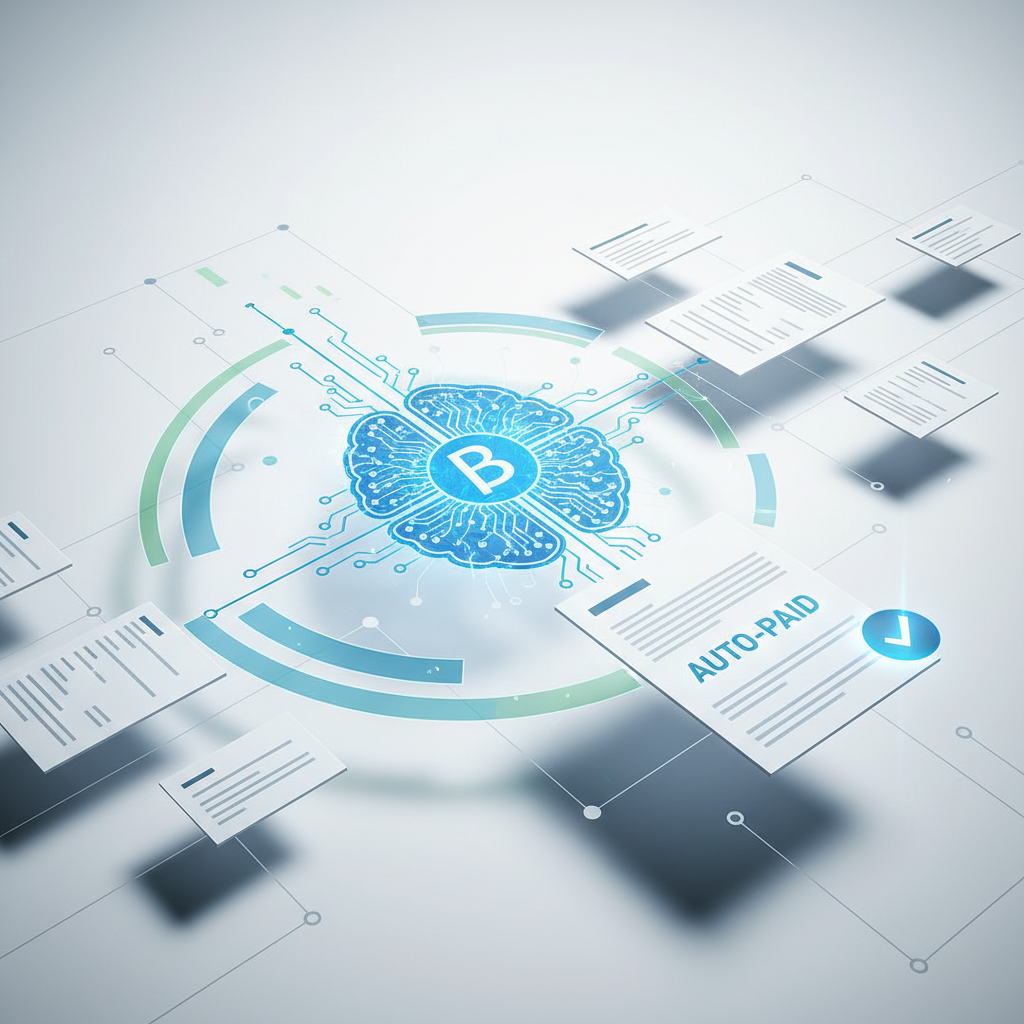
Key Takeaways
- ⏱️QuickBooks AI Invoice Automation: A feature by Intuit Assist, designed to automate invoicing tasks for SMBs.
- ⏱️Time Savings: SMBs can save up to 30% on administrative tasks with AI-powered invoicing.
- ⏱️Eligibility: Requires active QuickBooks Online subscription and U.S. residency.
- ⏱️Application Process: Sign up via Intuit Beta Community or QuickBooks Labs.
- ✅Comparison: Offers deeper integration with Intuit ecosystem compared to Xero and FreshBooks.
Related: Comprehensive Compliance Guides for AI Tools in Healthcare SMBs
Imagine streamlining your invoicing process, reducing errors, and enhancing cash flow management—all with the power of artificial intelligence. With QuickBooks AI invoice automation beta access, this is no longer a distant dream but a tangible opportunity for small and medium-sized businesses (SMBs). As AI continues to transform the accounting landscape, QuickBooks AI invoice automation stands out as a revolutionary tool aimed at saving time and reducing manual errors. In this guide, we'll explore how QuickBooks AI invoice automation can benefit your business, eligibility criteria for accessing the beta program, and how it compares to other solutions like Xero and FreshBooks. Whether you're new to AI in accounting or looking to optimize your invoicing process, this article will provide you with the insights and steps needed to get started.
Key Takeaways
- QuickBooks AI Invoice Automation: A feature by Intuit Assist, designed to automate invoicing tasks for SMBs.
- Time Savings: SMBs can save up to 30% on administrative tasks with AI-powered invoicing.
- Eligibility: Requires active QuickBooks Online subscription and U.S. residency.
- Application Process: Sign up via Intuit Beta Community or QuickBooks Labs.
- Comparison: Offers deeper integration with Intuit ecosystem compared to Xero and FreshBooks.
- Beta Timeline: Expected to run through 2024, with full rollout in early 2025.
Expert Tip
For businesses eager to harness the power of AI, starting with invoice automation can be a game-changer. Two actionable steps to maximize the benefits of QuickBooks AI invoice automation include focusing on integration and feedback. First, ensure that you integrate the AI functionality seamlessly with your existing accounting workflows. This might involve setting up automated triggers for invoice generation or payment reminders, which can free up to 5 hours per week for your finance team. Second, actively participate in the beta program by providing constructive feedback. This not only helps tailor the tool to your business needs but also ensures that you stay ahead of the curve by influencing future updates. As an example, a consulting firm saved 35% on accounting staff time by integrating AI with their workflows. By taking these steps, you can ensure that your business fully capitalizes on the efficiency gains offered by QuickBooks AI invoice automation.
What is QuickBooks AI Invoice Automation?
QuickBooks AI Invoice Automation is an innovative feature developed by Intuit Assist, aimed at transforming the way small and medium-sized businesses manage their invoicing processes. By leveraging artificial intelligence, this feature automates the creation, matching, and payment of invoices, significantly reducing the manual effort involved in these tasks.
How It Works
The technology behind QuickBooks AI invoice automation is designed to streamline the entire invoicing process. Once a transaction is recorded, the AI system can automatically generate an invoice based on predefined templates and settings. This invoice is then matched with corresponding payments, reducing the need for manual reconciliation. The real-time data processing capabilities of AI ensure that invoices are accurate and timely, which is crucial for maintaining healthy cash flow.
For instance, a retail SMB using this automation reported a 40% reduction in invoice processing errors and accelerated payment times by 15 days. This is achieved through AI's ability to identify discrepancies and ensure that invoices align with contractual terms and purchase orders automatically.
Benefits for SMBs
The benefits of QuickBooks AI invoice automation are manifold. Primarily, it offers significant time savings—up to 30% on administrative tasks, which translates to more time for strategic business activities. Moreover, by reducing human errors in invoicing, businesses can enhance their reputation and reliability with clients. Improved cash flow management is another critical advantage, as businesses can ensure timely payments and reduce outstanding receivables. Additionally, the integration with the broader Intuit ecosystem means that businesses already using QuickBooks Online can seamlessly adopt this feature, leveraging existing data and workflows.
Key Benefits of AI-Powered Invoice Automation for SMBs
AI-powered invoice automation is not just a buzzword; it's a tangible enhancement for SMBs looking to optimize their financial operations. Here are some of the critical benefits that businesses can expect from implementing this technology.
Time Savings
One of the most significant advantages of AI-powered invoice automation is the time it saves. According to research, using AI in accounting software can reduce manual invoicing time by up to 30%. For a small business, this could mean saving several hours each week, which can be redirected toward more strategic tasks such as business development or customer engagement.
For example, businesses that have adopted QuickBooks AI invoice automation have reported saving an average of 5 hours per week on administrative tasks. This reduction in time spent on routine tasks allows for a more efficient allocation of resources and can significantly impact the bottom line.
Reduced Errors and Improved Cash Flow
Another critical benefit is the reduction of errors in invoicing. AI systems can automatically flag discrepancies and ensure that invoices are accurate before they're sent out. This not only helps in maintaining good relationships with clients but also improves cash flow by ensuring that invoices are paid on time. In fact, 78% of SMBs have reported improved cash flow as a result of automated invoicing, according to a recent survey on AI adoption in finance.
Additionally, by automating reminders and follow-ups, businesses can ensure that payments are made promptly, reducing the likelihood of outstanding receivables. This proactive approach to cash flow management is crucial for the financial health of any business.
Eligibility Requirements for QuickBooks Beta Programs
Before you can take advantage of the QuickBooks AI invoice automation beta, it's essential to understand the eligibility requirements. These criteria ensure that the feedback and data collected during the beta phase are relevant and useful for further development.
General Eligibility Criteria
To participate in QuickBooks beta programs, businesses typically need to meet several key requirements. First and foremost, participants must have an active QuickBooks Online subscription. This ensures that the business is already familiar with the QuickBooks ecosystem and can provide relevant feedback on the integration and functionality of new features.
Additionally, participants must be U.S. residents. This geographical restriction is often due to regulatory considerations and the need to tailor the software to the specific needs of the U.S. market. Finally, businesses must agree to provide feedback on their experience with the beta software. This feedback is crucial for Intuit as it seeks to refine and improve the software before a full-scale launch.
Feedback and Participation
Participation in a beta program is not a passive activity. Businesses that are selected to join the QuickBooks AI invoice automation beta will be expected to actively use the software and provide detailed feedback on their experiences. This can include reporting any bugs or issues they encounter, as well as suggesting improvements or new features that could enhance the software's functionality.
For businesses willing to invest the time and effort, participating in a beta program can be highly rewarding. Not only do they get early access to cutting-edge technology, but they also have the opportunity to influence the development of a product that could become an integral part of their operations.
How to Apply for QuickBooks AI Invoice Automation Beta Access
If you're interested in gaining early access to QuickBooks AI invoice automation, there are specific steps you'll need to follow to apply. The application process is designed to identify businesses that are most likely to benefit from and contribute valuable feedback to the program.
Application Process
The primary way to apply for beta access is through the Intuit Beta Community portal. This online platform allows businesses to express their interest in participating in various QuickBooks beta programs, including the AI invoice automation beta. The application process typically involves filling out a form with details about your business, including your industry, size, and any specific invoicing challenges you face.
In addition to the portal, invitations to join the beta program may also be extended through QuickBooks Labs. This feature within QuickBooks Online allows users to try out experimental features and provide feedback directly within the software. If you're already a QuickBooks Online user, keeping an eye on QuickBooks Labs can be a great way to access new features as they become available.
Tips for a Successful Application
To increase your chances of being selected for the beta program, it's essential to provide as much detail as possible in your application. Be clear about the specific challenges you hope to address with AI invoice automation and how you plan to integrate it into your existing workflows. Highlighting any previous experience with beta testing or AI technology can also strengthen your application.
Remember, the goal of the beta program is not just to test the software but to refine it based on user feedback. By demonstrating your willingness to actively participate and provide constructive feedback, you'll be more likely to be selected for the program.
Comparison: QuickBooks AI vs. Competitors Like Xero and FreshBooks
When considering AI invoice automation, it's essential to compare QuickBooks with other popular solutions like Xero and FreshBooks. Each platform has its unique strengths and weaknesses, and understanding these can help you make an informed decision about which tool is best for your business.
QuickBooks vs. Xero
One of the primary advantages of QuickBooks AI invoice automation is its deep integration with the broader Intuit ecosystem. For businesses already using QuickBooks for their accounting needs, this integration ensures a seamless experience and allows for greater efficiency in managing financial data.
In contrast, Xero is known for its user-friendly interface and mobile-first approach. While Xero also offers AI-powered invoicing features, some users have reported that QuickBooks provides a more comprehensive solution, particularly for businesses that require robust reporting and analytics capabilities.
QuickBooks vs. FreshBooks
FreshBooks is another popular choice for SMBs looking to automate their invoicing processes. Like QuickBooks, FreshBooks offers AI-powered reminders and analytics tools to help businesses optimize their cash flow. However, QuickBooks' AI features are often seen as more advanced, particularly when it comes to integrating with other Intuit products and services.
Moreover, FreshBooks tends to focus more on service-based businesses, while QuickBooks offers a broader range of features suitable for a variety of industries. This makes QuickBooks a more versatile choice for businesses that require a comprehensive solution to manage their finances.
What to Expect from the Beta Program and Timeline
Participating in the QuickBooks AI invoice automation beta program offers businesses the opportunity to be at the forefront of technological innovation. However, it's essential to understand what to expect from the program and its timeline to maximize the benefits.
Program Structure and Timeline
The beta program is structured to run through 2024, with a focus on iterative improvements based on user feedback. This means that participants can expect regular updates and enhancements to the software as Intuit continues to refine its AI capabilities.
The full rollout of QuickBooks AI invoice automation is anticipated in early 2025. By that time, the software will have undergone extensive testing and refinement, ensuring that it meets the needs of a wide range of businesses.
User Involvement and Feedback
As a beta participant, you'll be expected to actively use the software and provide feedback on your experience. This includes reporting any issues you encounter, suggesting improvements, and sharing insights on how the software could be enhanced to better meet your needs.
Related: How to Integrate AI Chatbots into SMB CRM Systems for Better Efficiency
In return, you'll gain early access to cutting-edge technology and have the opportunity to influence the development of a product that could become an integral part of your business operations. This involvement not only benefits your business but also helps Intuit create a more robust and user-friendly product.
Overcoming Common Challenges in AI Invoice Adoption
While AI-powered invoice automation offers numerous benefits, businesses may encounter challenges when adopting this technology. Understanding these challenges and how to overcome them can help ensure a smooth transition.
Data Privacy and Security
One of the primary concerns for businesses adopting AI technology is data privacy and security. When automating financial processes, it's crucial to ensure that sensitive data is protected and that the software complies with relevant data protection regulations.
To address these concerns, businesses should choose software providers that prioritize data security and offer robust encryption and authentication measures. Additionally, implementing internal policies and procedures for data handling can help mitigate potential risks.
Integration and Learning Curve
Another common challenge is integrating AI technology with existing systems and workflows. This can be particularly difficult for businesses using legacy systems that may not be compatible with new software.
To overcome this challenge, it's essential to work closely with your software provider to ensure a smooth integration process. This may involve customizing the software to meet your specific needs or providing additional training for your team to ensure they are comfortable using the new technology.
Pros and Cons
| Pros | Cons |
|---|---|
| ✅ Time savings of up to 30% on administrative tasks | ❌ Initial learning curve for new users |
| ✅ Improved cash flow management | ❌ Potential data privacy concerns |
| ✅ Reduced invoicing errors | ❌ Integration challenges with legacy systems |
| ✅ Enhanced efficiency through automation | ❌ Limited features during beta phase |
| ✅ Early access to cutting-edge technology | ❌ Requires active participation and feedback |
While AI-powered invoice automation offers many benefits, it's essential to weigh these against the potential drawbacks. The initial learning curve and integration challenges can be significant, but with the right approach, these can be overcome. By actively participating in the beta program and providing feedback, businesses can help shape the future of AI invoice automation and ensure that it meets their needs.
Implementation Checklist
- Verify Eligibility: Confirm that your business meets the eligibility requirements for the QuickBooks beta program.
- Apply via Intuit Beta Community: Submit your application through the Intuit Beta Community portal.
- Monitor QuickBooks Labs: Keep an eye on QuickBooks Labs for invitations to join the beta program.
- Integrate with Existing Workflows: Ensure that the AI invoice automation integrates seamlessly with your current accounting processes.
- Provide Feedback: Actively participate in the beta program by providing detailed feedback on your experience.
- Address Data Privacy Concerns: Implement policies and procedures to protect sensitive data and ensure compliance with regulations.
- Train Your Team: Provide training for your team to ensure they are comfortable using the new technology.
- Monitor Performance: Regularly review the performance of the AI invoice automation to identify areas for improvement.
Frequently Asked Questions
Q1: What is QuickBooks AI invoice automation beta access?
A: QuickBooks AI invoice automation beta access refers to the opportunity for businesses to test and provide feedback on the AI-powered invoicing features before they are fully released. This program allows participants to gain early access to cutting-edge technology and influence future developments.
Q2: How can I apply for QuickBooks AI invoice automation beta access?
Related: Maximizing Small E-Commerce Growth with Data-Driven Decisions
A: You can apply for beta access through the Intuit Beta Community portal or by monitoring QuickBooks Labs for invitations to join the program. Ensure your business meets the eligibility criteria, including having an active QuickBooks Online subscription and U.S. residency.
Q3: What are the benefits of participating in the beta program?
A: Participants in the beta program gain early access to innovative technology and have the opportunity to influence the development of AI features that could improve their invoicing processes. Additionally, they can provide valuable feedback that helps shape the final product.
Q4: What challenges might I face when adopting AI invoice automation?
A: Common challenges include data privacy concerns, integration difficulties with existing systems, and an initial learning curve for users. However, these challenges can be overcome with the right approach and support from your software provider.
Q5: How does QuickBooks AI invoice automation compare to competitors like Xero and FreshBooks?
A: QuickBooks offers deeper integration with the Intuit ecosystem, making it an ideal choice for businesses already using QuickBooks products. However, Xero and FreshBooks may offer advantages in specific areas, such as mobile-first features or service-based business tools.
Q6: What is the expected timeline for the QuickBooks AI invoice automation beta program?
A: The beta program is expected to run through 2024, with a full rollout anticipated in early 2025. Participants can expect regular updates and enhancements based on user feedback. Interested in joining? Apply now to become a part of this innovative program.
Sources & Further Reading
- Intuit Assist: AI-Powered Assistant for Small Businesses - Overview of how AI is being implemented in QuickBooks.
- How AI Is Transforming Accounting for Small Businesses - Insights into the impact of AI on accounting processes.
- Accounting Software - Worldwide - Market analysis of the global accounting software industry.
- The State of AI in Finance 2023 - Survey results on AI adoption in the finance sector.
- QuickBooks Labs and Beta Programs - Information on how to join QuickBooks beta programs.
- Challenges in AI Adoption for Finance - Discussion of common challenges businesses face when adopting AI technology.
Conclusion
In summary, QuickBooks AI invoice automation offers a transformative opportunity for SMBs looking to optimize their invoicing processes. By participating in the beta program, businesses can gain early access to cutting-edge technology and help shape its development. Key benefits include significant time savings, reduced errors, and improved cash flow management. However, it's essential to be aware of potential challenges, such as data privacy concerns and integration difficulties, and to take proactive steps to address them.
Related: Cost-Saving Strategies for SMB Financial Resilience in 2024
For businesses interested in exploring AI further, consider checking out our Comprehensive Compliance Guides for AI Tools in Healthcare SMBs and How to Integrate AI Chatbots into SMB CRM Systems for Better Efficiency. These resources provide additional insights into how AI can enhance various aspects of your operations.
Ultimately, by leveraging QuickBooks AI invoice automation, SMBs can position themselves at the forefront of technological innovation and drive significant improvements in their financial workflows. Don't miss out on this opportunity—apply for beta access today and take the first step toward revolutionizing your invoicing processes.
Author: AskSMB Editorial – SMB Operations